Why AI Agents Fail Silently in Production (13 Fixes)

BoldGrow AI
5 min read · Aug 9, 2026
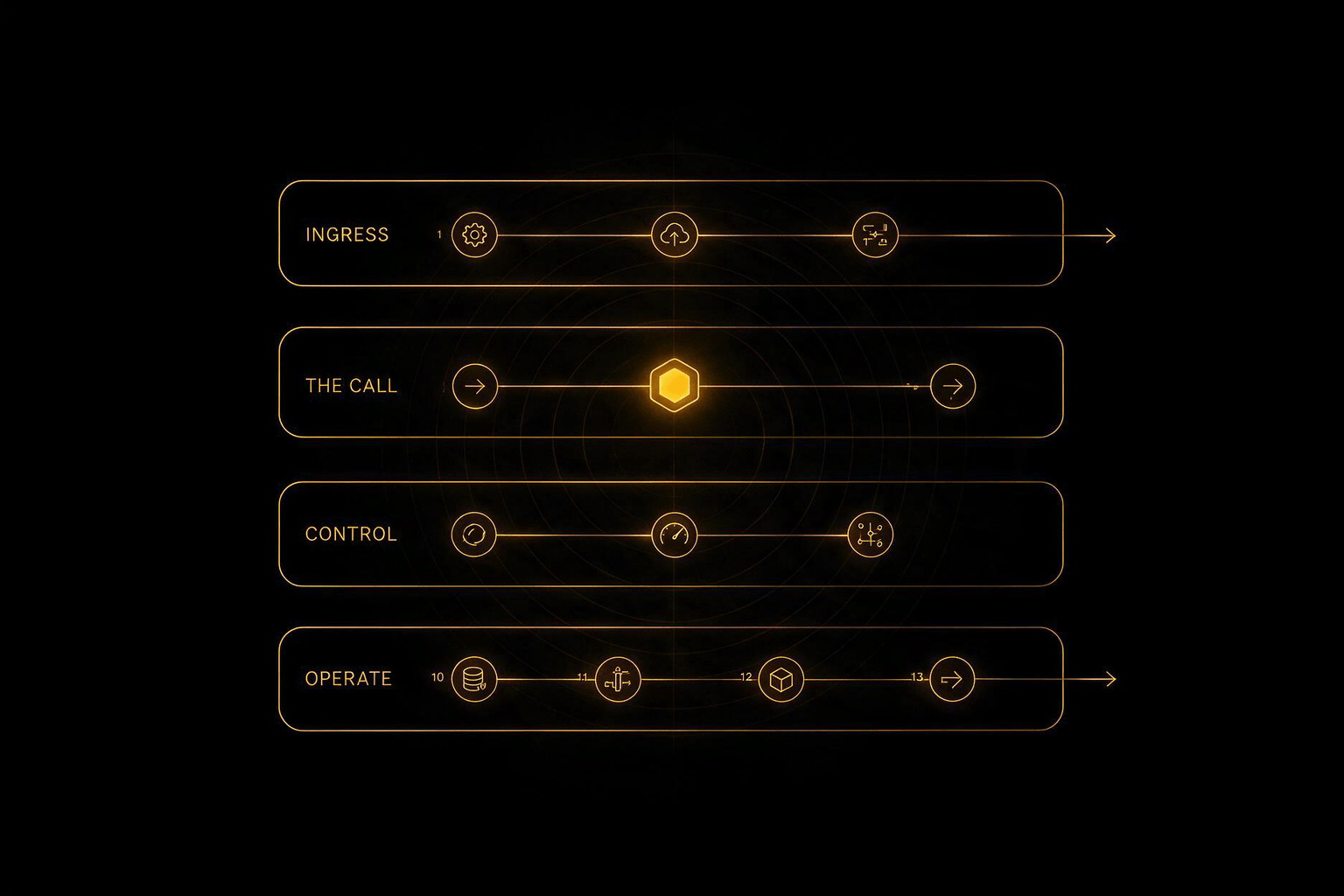
Short answer: AI agents usually fail without crashing. The model returns HTTP 200 OK with an empty, malformed, or subtly wrong response, and every dashboard reports the system as healthy. Preventing this needs 13 components around the model — ingress control, output validation, guardrails, and full-fidelity tracing — because status codes only prove the network worked, not that the model did.
A silent failure is when an AI agent keeps returning successful responses while producing incorrect output. There is no exception, no error rate spike, and no alert — so the fault survives until a customer reports it, often weeks later, in a ticket that begins “this has been happening for a while.”
This is the failure mode almost no AI stack is designed for. Traditional monitoring watches for things that stop. Agents fail by continuing.
A demo needs a model, a prompt, and somewhere to ship it. One weekend, and it genuinely works. That is exactly why demos are so convincing and so misleading.
Production needs the boring layer around the model — not because the model is bad, but because the model is a dependency you do not control. Its version can change, its response shape can change, its latency can triple on a Tuesday, and none of those events will announce themselves.
| Demo | Production | |
|---|---|---|
| Components | 3 | 13 |
| Failure signal | Visible immediately | Silent for days or weeks |
| Model version | Alias, whatever is current | Pinned, explicitly upgraded |
| Success check | HTTP status code | Payload schema validation |
| Prompt storage | Chat history or a local file | Version control + canary rollout |
| Cost risk | A few dollars | Unbounded until a cap trips |
| Blast radius | One person | Every customer |
1. A request queue with rate limits. Without a queue, a traffic spike becomes dropped work. With one, it becomes latency — recoverable, visible, and survivable. Agents are slow relative to normal web requests, so the buffer matters more here than in a typical API.
2. Per-tenant token budgets. An agent stuck in a reasoning loop is a billing incident before it is an engineering one. Hard caps per customer, per hour, with a circuit breaker that trips before finance finds out. This is the control most teams add only after their first surprise invoice.
3. PII redaction before the model sees anything. Customer data should be scrubbed on the way in, not trusted to a prompt instruction telling the model to be careful. Under GDPR and India’s DPDP Act, “we asked the model not to store it” is not a control. Redaction at the boundary is.
4. Semantic caching. A meaningful share of production traffic is the same question asked slightly differently. Caching on semantic similarity rather than exact string match removes a large share of model calls outright. It is among the cheapest reliability and cost wins available, and it is routinely skipped.
5. Pinned model versions — never aliases. Aliases are convenience. Convenience is not infrastructure.
When a provider deprecates an alias mid-flight, the replacement model may return a different response structure — populating a reasoning field while leaving the output field empty. Requests still return 200. Nothing in your logs looks wrong. This is the exact silent failure described at the top of this article, and version pinning is what prevents it.
6. A fallback provider on a second vendor. Same interface, different vendor, automatic failover. When the primary returns malformed output or degrades, traffic reroutes without an incident and without a 2 a.m. call. One provider is a single point of failure wearing a very convincing uniform.
7. Output validation — not HTTP status codes. An empty completion at HTTP 200 is a failed request, and your handler must treat it as one. Validate the payload:
Status codes tell you the network worked. They tell you nothing about whether the model did.
8. Guardrails enforced outside the prompt. What an agent must never say or do cannot live in its instructions. A prompt is a request, not a control. Policy enforcement belongs in a separate layer that inspects inputs and outputs regardless of what the prompt says — because the prompt is exactly what an attacker is trying to influence.
9. Injection detection on untrusted inputs. Anything entering the context window from outside — a customer message, a scraped page, a document, a tool result — can attempt to override the agent’s instructions. Treat all of it as data, never as commands, and detect the attempts explicitly.
10. A human escalation path. Some decisions should not be automated at all: refunds above a threshold, contractual commitments, anything legally binding, anything irreversible. Knowing which decisions belong to a human is most of the design work, and the escalation path has to exist in the architecture, not in a policy document.
11. Traces on every call. Prompt, response, token counts, latency, and cost — logged for every single call, not sampled. When something goes wrong, exception messages tell you that something broke. Response bodies tell you what. Sampling is how you end up unable to explain the one request that mattered.
12. A prompt registry with canary rollout. This is the component most teams skip entirely.
Prompts live in chat histories, Notion pages, and someone’s local file. Then a prompt gets edited on a Friday afternoon, behaviour shifts, and there is no diff to roll back to and no record of what was live when.
Prompt edits are deploys. They belong in version control, behind a canary rollout — a small share of traffic before 100% — and in your change log alongside code.
13. An eval suite and red-teaming before ship. Non-determinism means you cannot regression test an agent the way you test normal software. What you can do is maintain a fixed evaluation set that runs before any prompt or model change goes live, and run structured jailbreak attempts against the agent before launch rather than after.
The architecture maps cleanly onto managed services, which matters because every component above is otherwise something you build and then own forever.
| Component | AWS service |
|---|---|
| Request queue | SQS or EventBridge |
| PII redaction | Comprehend |
| Semantic cache | ElastiCache |
| Model access, multi-model | Bedrock |
| Policy enforcement | Bedrock Guardrails |
| Orchestration, human approval | Step Functions (waitForTaskToken) |
| Agent state | DynamoDB |
| Traces and metrics | CloudWatch and X-Ray |
| Credentials | Secrets Manager |
| Blast radius | Scoped IAM roles |
The IAM point is worth dwelling on. An agent with broad permissions is an agent that can do broad damage when it is wrong — and it will be wrong sometimes, because that is the nature of the component. Least privilege is not bureaucracy here. It is the difference between a bad response and a bad incident.
Run these four checks against your current system:
200 with an empty completion. Does anything alert, or does the request sail through?If any of those four make you uncomfortable, that is the gap this article is about.
It means the agent returns a successful HTTP response while producing wrong, empty, or malformed output. Because nothing crashes and no error rate rises, standard monitoring reports the system as healthy and the fault can persist for weeks before a customer notices.
A 200 status confirms the network request completed — nothing more. The model can return an empty completion, a truncated structure, or a response missing required fields, all at 200. Validating the response payload against a schema is the only reliable success check.
Pin them. Aliases can be deprecated or repointed by the provider mid-flight, and the replacement model may return a different response structure while still returning 200. Version pinning turns a silent behavioural change into a deliberate, tested upgrade.
No. A prompt is a request, not an enforcement mechanism, and it is the exact surface an attacker targets with injection. Guardrails belong in a separate layer that inspects inputs and outputs independently of prompt content.
Treat prompt edits as deploys. Store prompts in version control, roll changes out to a small share of traffic first, and record them in your change log alongside code so any behaviour shift can be diffed and rolled back.
No — but you need to decide consciously which you are deferring and accept the specific risk each one covers. Output validation, pinned versions, full-fidelity traces, and a prompt registry are the four that most directly prevent silent failure.
The model layer is commoditised. Anyone can subscribe to a frontier model this afternoon, and the gap between providers narrows every quarter.
The reliability layer around it is where the engineering lives — and it is the part that decides whether an AI agent is a demo that impresses a room or a system a business can put revenue through.
The model is a component with an SLA you do not control. The system around it is the product.
At BoldGrow AI we build production AI systems — agents, chatbots, and automation — with this architecture underneath them, alongside the cinematic websites they sit behind.
If you are running an AI agent in your business right now, the question worth asking is not whether it works. It is whether you would know if it stopped working properly.
AI Assistant
Today at 11:32 PM
If you have any questions about BoldGrow AI - I'm here to help - ask me anything!
Monica • Just now